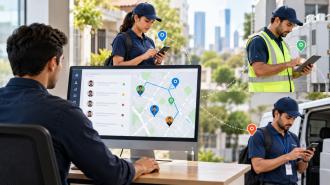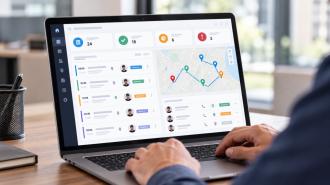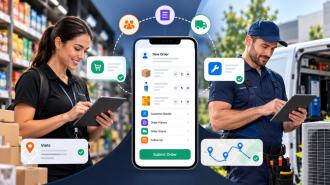
Remote employee management works best when managers have a clear view of the information that actually affects work: attendance, availability, tasks, progress, performance, leave and business expenses.
That does not mean recording everything an employee does during the day. A software developer working from home may be measured by project milestones and completed work, while a customer support employee may need response-time and ticket data. A field sales representative may also need location-based attendance and visit records.
The right approach is to track information that helps the business manage work, plan resources and support employees, while keeping unnecessary monitoring to a minimum.
Remote work is now a regular working arrangement for millions of people. The U.S. Bureau of Labor Statistics reported that an annual average of 35.4 million people teleworked or worked from home for pay in 2025, equal to 22.4% of people at work.
So, what should businesses actually track?
Most businesses managing remote teams need visibility into a few basic areas:
Attendance and working hours to understand when employees are working.
Availability and schedules to coordinate people across locations and time zones.
Tasks and progress to see what has been assigned, completed or delayed.
Performance and outcomes to assess whether employees are meeting role-specific expectations.
Leave and absences to understand who is available and when.
Expenses to manage business-related spending and reimbursements.
Relevant activity and location when the employee's role makes this information necessary.
The important point is that these categories should not be treated as a checklist that applies identically to every employee.
A remote employee management system should reflect how the person actually works.
For example, tracking the location of a field technician visiting customer sites can have a clear business purpose. Tracking the location of a software developer throughout the entire working day may not.
Attendance is one of the simplest things to track, but it needs to be used in the right context.
Depending on the company's working model, attendance records may include:
Start and end times
Scheduled working hours
Breaks where applicable
Late arrivals
Early departures
Missing attendance records
Approved attendance corrections
For employees with fixed schedules, attendance can help managers understand whether shifts are being covered as expected. It can also help businesses identify recurring attendance issues before they affect customers or other team members.
Remote teams can make attendance more difficult because employees are not checking in at a shared office entrance. For employees who work from different locations, GPS-based attendance can connect a check-in with the employee's location at that moment, giving managers more context than a simple timestamp.
Location-based attendance is particularly useful for field sales teams, service employees and other roles where employees are expected to work from specific customer or job locations.
There is one important limitation to remember: attendance does not equal performance.
An employee can work for eight hours and still struggle to complete important tasks. Another employee may complete their responsibilities efficiently within a shorter working period. Attendance should therefore be considered alongside actual work and agreed objectives.
Knowing whether an employee is working is only part of managing a remote team. Managers also need to know when that employee is available.
This becomes more important when teams work across different cities, countries or time zones.
Useful information can include:
Normal working hours
Time zone
Scheduled days off
Meeting availability
Expected response periods
Temporary schedule changes
A clear schedule can prevent a surprising number of communication problems.
Imagine a team with employees in India, the UK and the United States. Without documented working hours, a manager may repeatedly schedule meetings at inconvenient times or expect an immediate response from someone whose working day has already ended.
Availability should also not be confused with constant responsiveness.
An employee may be working but unavailable for a message because they are in a meeting, working on a deadline or handling another priority. The purpose of recording availability is to help teams coordinate work, not to expect employees to respond every minute.
For many remote teams, task progress tells managers more about the work than an online status ever could.
A useful task record should make it clear:
What needs to be done
Who is responsible
When it is due
How important it is
What stage it is at
Whether it has been completed
This creates a clearer picture of workload and progress.
Consider a remote sales representative with several customer follow-ups scheduled for the week. Attendance can confirm that the employee worked during the agreed hours, but task information can show which follow-ups were assigned, which were completed and which are still pending.
The same principle applies to marketing, customer support, operations and project teams.
Task data can also reveal workload problems. If one employee repeatedly has a large number of overdue tasks, the answer may not be to question their effort. The employee may have too many assignments, unclear priorities or unrealistic deadlines.
That distinction matters when managing people remotely because managers have less informal visibility into an employee's day.
Performance should be measured according to what the employee is expected to achieve.
There is no single metric that works for every remote role.
For a sales employee, useful measures might include sales targets, qualified leads, customer follow-ups and conversion rates.
For customer support, relevant measures may include tickets resolved, response times, resolution times and customer satisfaction.
For project-based employees, managers may look at milestones, deadlines, deliverable quality and outstanding work.
For field employees, completed visits, customer interactions, assigned tasks and visit reports may be more relevant.
The main principle is simple: measure the result of the work, not just signs that someone is sitting at a computer.
Research led by Stanford economist Nicholas Bloom found that employees working from home two days a week were just as productive and just as likely to be promoted as comparable office-based employees in the study.
That does not mean every remote arrangement will produce the same results. It does show why managers should be careful about treating physical presence or visible online activity as a direct measure of productivity.
A person being online for eight hours does not tell you whether an important project moved forward. Completed work, quality and agreed outcomes provide much more useful information.
Leave management can become harder when employees and managers are working from different places.
Instead of relying on emails, chat messages or verbal requests, businesses should keep a clear record of:
Leave requests
Approval or rejection
Leave balances
Planned holidays
Approved days away
Unplanned absences
Changes to approved leave
A simple process should make the status of every request clear.
An employee submits a request, the relevant manager reviews it, and the approval or rejection is recorded. A structured automated leave approval process can also make it easier to maintain accurate records and give managers a clear view of upcoming absences.
This matters for workload planning as well.
If several employees working on the same project are away at the same time, the manager needs to know early enough to adjust assignments or deadlines. Clear leave records make that possible without searching through multiple email threads.
Remote employees can still incur business expenses, particularly when their work involves travel, customer meetings, equipment or other approved purchases.
Businesses should have a clear record of:
Who submitted the expense
Amount spent
Date
Expense category
Receipt or supporting document
Business purpose
Approval status
Reimbursement status
The basic question is straightforward:
Who spent the money, what was purchased, why was it needed and has it been approved?
For example, an employee may purchase approved equipment for work or incur travel costs while meeting a customer. Keeping those records together makes it easier for managers and finance teams to review the claim.
Expense information can also reveal patterns. If similar expenses are being submitted repeatedly, the company may need to review its purchasing policy, budgets or approved suppliers.
The aim is not to monitor employees' personal spending. It is to maintain a clear record of legitimate business expenses.
Location tracking needs more care than attendance or task tracking because it involves personal location information.
There are roles where location is directly connected to the work. These may include:
Field sales representatives
Service technicians
Delivery employees
Home healthcare workers
Employees visiting customer locations
Staff working across several assigned sites
For these employees, knowing where a check-in occurred or whether a scheduled visit took place can be useful.
For example, a field employee may be expected to visit a customer at a particular location. Recording the location at check-in can provide a record that the employee was at the assigned site.
That is very different from continuously tracking an employee who works from home.
Businesses should have a clear reason for collecting location data and should explain that purpose to employees. They should also consider whether the same business objective can be achieved with less intrusive information.
The Information Commissioner's Office advises employers to consider whether worker monitoring is necessary and whether a less intrusive method could achieve the same purpose. Its guidance also stresses the need to handle worker monitoring lawfully and fairly.
Location tracking should therefore be connected to an actual work requirement, rather than used simply because the technology is available.
Employee activity data can be useful when it relates directly to the work.
Depending on the role, this could include:
Task updates
Completed assignments
Customer visits
Submitted reports
Work status
Follow-ups
Attendance records
Other agreed work activities
Problems start when businesses try to measure every action an employee takes.
Constant screenshots, keystroke recording, webcam monitoring and unrelated personal activity can generate a large amount of information without necessarily helping managers understand whether work is being completed properly.
A better question is:
What information does the manager actually need to manage this employee's work?
If the objective is to understand whether a project is progressing, task status and completed milestones may provide enough information. There may be no reason to record every application the employee opens.
This distinction is especially important for people working from home. The boundary between work and personal life can be less obvious when the same device or physical space is used for both.
The ICO notes that excessive monitoring can intrude on workers' privacy, particularly when people are working from home.
Good remote employee management should provide useful visibility without making employees feel that every action is being watched.
There is no universal answer.
The right level of tracking depends on the employee's responsibilities, working arrangement, business requirements and applicable policies.
Before introducing a new type of monitoring, managers can ask:
What decision will this information help us make?
Is it directly related to the employee's role?
Does the employee know it is being collected?
Could we achieve the same goal with less monitoring?
Who actually needs access to the information?
How long do we need to keep it?
This gives businesses a practical way to decide what belongs in their remote employee management process.
Track what is useful. Explain why it is tracked. Limit unnecessary data. Review the approach regularly.
That is a much better starting point than collecting every type of information a monitoring tool can provide.
Working hours can matter for certain roles, but they do not tell managers whether the work was completed properly.
A developer, salesperson and customer support agent have different responsibilities. Their performance measures should reflect those differences.
If nobody can explain why a particular piece of employee information is being collected, there is a good reason to question whether it needs to be collected at all.
Attendance may be stored in one spreadsheet, leave requests may be sitting in email and task updates may be recorded somewhere else. The result is often duplicated information and more manual work.
A growing list of unfinished tasks does not automatically mean an employee is not working. It may indicate that the person has too much work, conflicting priorities or unrealistic deadlines.
Attendance, activity and task data can provide useful context, but they should not replace conversations about goals, quality, workload and performance.
Before setting up a remote employee management process, businesses should make sure they can answer a few basic questions.
Are working schedules clearly defined?
Are start and end times recorded where necessary?
Can attendance exceptions be reviewed?
Is location recorded only where the role requires it?
Are working hours documented?
Are different time zones taken into account?
Do employees know when they are expected to be available?
Can managers see planned time off?
Does every important task have an owner?
Are deadlines clear?
Can employees update task progress?
Can managers see completed and pending work?
Are goals specific to each role?
Are outcomes reviewed regularly?
Is quality considered alongside quantity?
Is performance based on more than activity or hours online?
Are requests recorded in one place?
Is approval status clear?
Are leave balances maintained?
Can managers see upcoming absences?
Are employee claims recorded?
Can receipts be attached?
Is the approval status visible?
Can employees see whether reimbursement has been completed?
Do employees know what information is being collected?
Is there a clear business reason for each type of monitoring?
Is unnecessary data avoided?
Is access limited to people who need it?
Are retention and deletion practices defined?
Managing a remote team becomes more difficult when important information is scattered across different systems.
Attendance may be maintained in a spreadsheet. Leave requests may arrive by email. Expenses may require separate forms. Task updates may sit inside another application.
That arrangement can work for a small team, but the administrative effort grows as more employees, departments and processes are added.
HR software can bring employee records, attendance, leave and expenses into one system. A broader workforce management setup can also connect task assignments and employee activity, giving managers a clearer view of day-to-day work.
The benefit is not simply having more information. It is having useful information in one place when a decision needs to be made.
A manager may need to check whether an employee is available, review their attendance, see the work assigned to them and confirm whether a leave request or expense is awaiting approval. Having these records connected reduces the need to search across different tools.
UpTeams HRM software brings together employee attendance, leave, expenses, employee activity and centralised employee records. The platform also supports location-based attendance, which can be useful for teams working across different locations.
For businesses managing distributed teams, remote workforce management can also bring attendance, work hours, task assignments, progress, leave workflows, expenses and team information into one place.
The right setup still depends on how a business operates. A company does not need to monitor every employee in the same way. The more useful approach is to identify the information each role requires, set clear expectations and use that information to manage work rather than simply watch activity.
When remote employee management is built around attendance, availability, actual work, outcomes, leave and relevant business activity, managers get the visibility they need while employees have a clearer understanding of what is expected from them.
Start your free trial today