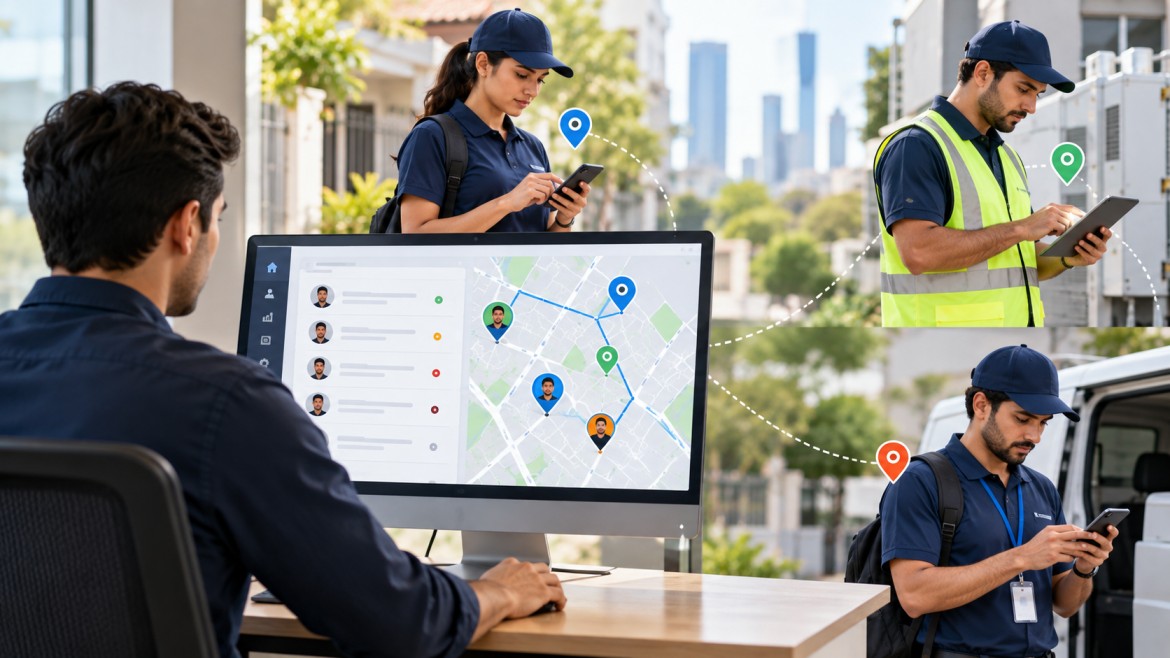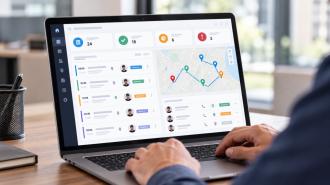
Field team management is the process of organising, assigning, coordinating and monitoring employees who work away from a central office. It can include planning field visits, assigning tasks, managing attendance, sharing work instructions, collecting updates and reviewing completed activities.
The term can apply to many types of employees, including sales representatives, delivery workers, inspectors, technicians, healthcare workers and other mobile staff. The work itself differs by industry, but managers face a similar problem: employees are working in different places while the information needed to coordinate that work has to remain accessible to the office and the field team.
Field team management covers the day-to-day processes used to organise employees who spend part or all of their working time outside a fixed workplace.
A field team might visit customers, inspect sites, deliver products, collect payments, conduct sales meetings, perform maintenance or complete scheduled tasks. Managing that team involves more than knowing where employees are.
A manager may need to know:
Which employees are working today
Which assignments have been given to them
Where and when visits are scheduled
Which tasks are complete or delayed
Whether a visit actually took place
What information was collected in the field
Whether follow-up work is required
What was reported back to the office
This distinction matters because location is only one part of field team management. A location record may show that an employee reached a customer site, but it does not by itself explain what happened during the visit or whether the assigned work was completed.
The responsibilities depend on the type of field team, but most managers have to coordinate four basic areas: people, work, information and follow-up.
Managers need a clear view of who is available, who is already assigned to work and who is absent or on leave.
For a small team, this may be handled through a shared calendar or spreadsheet. With a larger team, keeping these details updated manually becomes harder because assignments can change throughout the day.
Field employees need clear instructions before they leave for a visit or job.
An assignment might include:
Customer or site details
Location
Purpose of the visit
Required tasks
Priority
Appointment time
Information that needs to be collected
Follow-up requirements
The more specific the assignment, the less time the employee has to spend contacting the office for basic information.
A field visit often produces information that someone in the office needs later.
For example, a sales representative may record customer feedback and an order. An inspector may complete a checklist. A technician may record what was repaired. A collection employee may update the status of a payment.
If these updates arrive several hours later through separate messages, managers may have to reconstruct what happened.
Field work rarely ends when an employee leaves a location.
A visit may result in a new task, a customer follow-up, an order, another appointment or a request for additional information. A good management process makes it clear what happens after the initial activity.
A typical field operation can follow a simple sequence:
Plan the work → assign the employee → schedule the activity → complete the field work → record the result → review or follow up
The starting point differs by industry.
A sales team may begin with a list of customer visits.
A service team may receive a customer request.
A delivery team may receive an order.
An inspection team may work from a recurring schedule.
The management process then brings the assignment to the appropriate employee and records what happens afterwards.
For example, suppose a field sales representative has six customer visits planned for a day. The manager assigns the visits, provides the relevant customer information and sets priorities. The representative completes the visits and records the outcome of each one. One customer requests a follow-up call, another places an order, and a third asks for a future meeting.
The day's work is therefore more than six completed visits. The records created during those visits determine what happens next.
Managing people across different locations creates problems that are less common in a fixed office.
A manager may know what employees were supposed to do without knowing what they actually completed.
A planned visit and a completed visit are two different things.
An employee can be assigned overlapping appointments or more work than can reasonably be completed during the available hours.
Travel time also needs to be considered. Five customer visits may look manageable on a schedule but become unrealistic if the locations are far apart.
If employees submit their updates only at the end of the day, managers may not know about a missed visit or unresolved issue until much later.
That delay can affect follow-up work.
Phone calls, spreadsheets, messaging apps and paper forms can each work independently. The problem appears when employees and managers have to use all of them for the same workflow.
Information can be duplicated, updated in one place but not another, or lost among unrelated messages.
Managers need to distinguish between assigned work, work in progress and completed work.
Without that distinction, a full schedule can give the impression that the team is busy without showing whether the intended work was actually completed.
Different organisations use different processes, but several activities appear across many types of field teams.
Visit management covers the planning and recording of activities that take place at customer or site locations.
This can include the appointment time, location, purpose, notes, feedback and completion status.
A dedicated field visit management system can keep those details together instead of requiring managers to reconstruct visits from calendars and messages.
Tasks give field employees specific pieces of work to complete.
A task may be connected to a customer visit, sales opportunity, service request or internal activity. Clear ownership matters because managers need to know who is responsible for completing the work.
Attendance works differently for employees who do not report to the same office every day.
A field employee may start work at a customer location, move between several sites or work from different areas during the day. Depending on the organisation's requirements, attendance records can include check-in time, check-out time and location information.
Reports turn field activity into information that managers can review.
The required information depends on the job. A sales representative may need to record customer feedback and orders, while an inspector may need to complete a checklist and attach observations.
Location data can help verify where certain activities took place or support operational planning.
It should still have a clear business purpose. Organisations should also consider who can access location information, how long it is retained and what data is actually necessary.
The National Institute of Standards and Technology (NIST) treats mobile devices as enterprise systems that can process sensitive information and recommends security measures covering their deployment, use and disposal. Its guidance is useful when organisations are deciding how mobile devices and related data should be managed.
The terms field team management and field force management are sometimes used interchangeably, but they can describe slightly different scopes.
Field team management is a broad term for organising people who work in the field. It can cover sales, service, inspections, delivery, collections and other activities.
Field force management often refers to a more structured approach to managing a mobile workforce, including visits, territories, field activity, attendance, orders, leads or service work.
There is no universal rule that separates the two terms. Companies and software providers may use them differently.
For this reason, the useful distinction is based on the work being managed rather than the label itself.
A business that needs to coordinate customer visits, field tasks, employee activity and reporting may look at field force management software as one way of organising those processes.
Employee tracking is narrower than field team management.
Tracking can answer questions such as:
Where is an employee?
When did they check in?
Where did a particular activity take place?
How long were they recorded as working?
Field team management needs to answer wider operational questions:
What work was assigned?
Was the employee given the right information?
Was the visit completed?
What happened during the visit?
Is another action required?
What should the manager do next?
Consider a simple example. A location record may show that an employee reached a customer's premises at 10:15 AM. That is useful information, but the manager may also need to know whether the customer was contacted, whether the assigned task was completed and whether a follow-up is required.
Location data should therefore support the work process rather than become the entire definition of employee performance.
Field teams can be managed without dedicated software. A small team may use a spreadsheet, calendar, phone calls and messaging applications without major problems.
The difficulty tends to appear when the number of employees, visits or locations increases.
A digital system can bring assignments, visits, tasks, attendance, reports and other field information into a shared workflow. The practical benefit is not simply having another dashboard. It is reducing the need to reconstruct daily activity from several separate sources.
For example, a manager can assign a visit, provide the employee with the relevant customer details, receive an update from the field and review the completed activity in the same system.
The exact capabilities vary between products, so businesses should assess the workflow they actually need instead of selecting software based on the size of its feature list.
The right features depend on the type of work being managed.
The system should make it easy to assign responsibilities and provide the information employees need before starting work.
Useful capabilities can include:
Visit scheduling
Task assignment
Priorities
Deadlines
Instructions
Customer or site information
Managers need to distinguish between work that is planned, active, delayed and completed.
A task management system can help organise assignments, responsibilities, priorities and progress updates in one place.
For teams that work away from a fixed office, attendance may need to be connected with the location or site where the employee starts work.
A geo attendance system can record check-ins, check-outs, working hours and location information where those functions are required.
Reports should answer practical questions without requiring managers to combine several spreadsheets manually.
For example:
Which visits were completed?
Which tasks are delayed?
Which employees have outstanding work?
Which activities require follow-up?
How much work was completed during a given period?
Good field team management starts with clear processes rather than software alone.
Employees should know what information needs to be captured after a visit or task.
If a manager only needs the visit outcome and follow-up date, requiring a long form with dozens of fields adds unnecessary work.
A task should have a person responsible for completing it. Shared responsibility can make it difficult to determine who needs to act when something is delayed.
Not every field activity has the same priority.
A routine customer visit can normally be planned in advance. An urgent service issue or time-sensitive collection may need different treatment.
Employees should not have to call the office repeatedly to find out the customer's address, purpose of the visit or required task.
Good preparation reduces avoidable delays.
Managers generally gain more useful information from missed visits, delayed tasks, unresolved issues and unusual gaps than from checking every location update manually.
This also keeps employee monitoring focused on operational needs.
Knowing where an employee is does not prove that the assigned work was completed.
Location should be considered alongside tasks, visits, outcomes and reports.
A schedule can appear productive while being unrealistic. Travel, appointment duration, breaks and unexpected delays all affect how much work an employee can actually complete.
Field employees need to provide enough information for the office to act, but reporting should not become a second job.
Forms should contain the information the business genuinely needs.
If customer information is stored in one system, schedules in another and field updates in messaging conversations, managers may spend time matching records that should already be connected.
Employee location and activity information should be collected for a defined purpose and protected appropriately. NIST's mobile-device guidance covers security controls and management practices for organisations using mobile devices for business activities.
Consider an illustrative FMCG sales team with representatives visiting retailers during the day.
The manager starts by assigning each representative a set of customer visits. Each employee receives the relevant customer details, visit priorities and required information to collect.
During the day, representatives record completed visits and update the results. One retailer places an order, another asks for a follow-up meeting, and a third visit is postponed.
The manager can then review the day's activity and identify what requires action.
The important part is the connection between the activities:
Planned visit → field activity → recorded result → follow-up
Without that connection, the manager may only have a list of appointments and a collection of messages.
Not every field team needs dedicated software.
A small business with a few employees and a limited number of weekly visits may be able to manage its work with a calendar and spreadsheet.
Software becomes more useful when coordination itself starts consuming significant time.
Typical signs include:
Managers repeatedly asking employees for status updates
Field visits becoming difficult to schedule
Attendance records being maintained manually
Reports arriving late
Customer information being spread across several systems
Managers struggling to see outstanding work
Employees receiving assignments through multiple channels
Field activity increasing across several locations
The decision should be based on the actual workload. A small team does not necessarily need a complex system, while a larger team may quickly outgrow spreadsheets and messaging-based coordination.
Managing field employees also means considering the conditions in which the work takes place.
Some teams spend significant time outdoors or perform physically demanding work. Heat exposure is one example. OSHA notes that heat risk depends on factors such as environmental conditions, physical workload, clothing or protective equipment and individual factors. Employers are advised to assess the total heat stress rather than relying on temperature alone.
For field managers, this can affect scheduling, workload planning and procedures for employees working in hot conditions.
Safety requirements will differ substantially between industries, so field team management software should not be treated as a replacement for proper workplace safety procedures.
There is no single metric that works for every field team.
A sales team might monitor completed visits, orders and follow-ups. A maintenance team may focus on completed jobs, response time and repeat visits. A delivery team may need to track successful deliveries and missed stops.
Possible measures include:
Completed visits
Missed visits
Task completion
On-time completion
Attendance
Response time
Follow-up completion
Orders or leads handled
Report submission time
The purpose of measurement should be to identify operational problems, not simply to produce a larger number of performance metrics.
A high number of completed visits, for example, does not necessarily mean a sales team is performing well if customer follow-ups are being missed.
Start with the work rather than the software.
Ask:
How are assignments currently created?
How are employees told what they need to do?
How are visits scheduled?
How is attendance recorded?
How are field updates collected?
Where is customer or site information stored?
How are managers notified about delays?
Which reports are actually needed?
Which existing systems need to connect with the new platform?
What employee and customer data needs appropriate access controls?
Then assess the available software against those requirements.
Mobile usability matters because field employees may have limited time and connectivity. Reporting matters because managers need current information. Forms matter when different types of field activity require structured records. Integrations matter when employees currently enter the same information into several systems.
Price should also be considered alongside the amount of manual work the system is replacing. At the same time, paying for features that a team will never use does not automatically make a system more suitable.
UpTeams provides a platform for managing field and office teams, with capabilities covering visits, tasks, attendance, location information, CRM activity, orders, forms and reporting.
Its field-force solution brings together activities such as visit planning, task instructions, visit status and field reports, while its wider feature set includes visit management, task management and geo-attendance.
For a business considering field team management software, the relevant question is how closely those capabilities match its existing field workflow. The useful starting point is to map the work employees actually perform, the information managers need and the points where manual coordination currently creates delays.
Start your free trial today