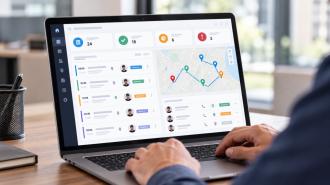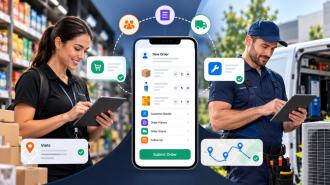
Selecting an HR system is not about picking the tool with the most features. It’s about finding a system that fits how your business operates, supports your team structure, and reduces daily manual work. The right software should make employee management easier, improve visibility, and help you make faster decisions. If it adds complexity instead of reducing it, it’s not the right fit.
This guide explains how to evaluate options, what to prioritize, and how to avoid common mistakes while selecting a system that actually works for your business.
Most businesses don’t struggle because of a lack of options. The real issue is too many similar choices without clear direction.
Many tools look the same on the surface. They offer similar features, similar dashboards, and similar promises. This makes it difficult to understand what truly matters for your business.
Another common problem is choosing software based on assumptions. A startup may choose a system built for large enterprises, while a growing company might go with a basic tool that cannot scale. In both cases, the result is inefficiency.
Pricing also plays a role in poor decisions. Some businesses choose the cheapest option without considering usability or long-term value. Others go for expensive tools expecting better results, only to find they are too complex to use.
Without a clear understanding of needs, businesses often end up switching systems later, which leads to wasted time and additional costs.
Before comparing tools, it is important to define what problems need to be solved.
Most businesses deal with similar challenges. Employee data is often spread across multiple files or systems. Approvals take longer than they should. There is limited visibility into what employees are working on. Manual processes lead to errors, and managing remote or field teams becomes difficult.
An HR system should simplify these areas. It should bring everything into one place, reduce manual effort, and improve coordination across teams.
If your current setup already handles these tasks efficiently, you may not need a major upgrade. But if these problems are slowing down your operations, the right system can make a noticeable difference.
1. Ease of Use and Adoption
A system should be simple enough for your entire team to use without constant support. If employees avoid using it, the data becomes unreliable and the system loses value.
Look for:
Clean and intuitive interface
Minimal learning curve
Quick access to common tasks
Mobile-friendly experience for on-the-go teams
2. Core Features That Match Daily Work
Focus on what your business actually needs instead of long feature lists.
Essential capabilities include:
Employee data and profile management
Leave and approval workflows
Task or activity tracking
Basic reporting and summaries
Avoid tools with unnecessary features that increase complexity without adding real value.
3. Fit for Your Team Structure
Different teams have different requirements, and your system should support all of them.
Consider:
Office teams needing simple workflows
Remote teams needing visibility and updates
Field teams requiring real-time tracking
Choose a solution that adapts to your operations instead of forcing process changes.
4. Reporting and Real-Time Visibility
You should be able to quickly understand what is happening across your team without digging through data.
A good system should help you:
Track employee activity and progress
Identify delays or gaps
Access reports instantly
Make faster decisions with clear insights
5. Integration with Existing Tools
Your HR system should work smoothly with the tools you already use.
Check compatibility with:
CRM systems
Payroll or accounting tools
Task or project management platforms
Lack of integration leads to duplicate work and scattered data.
6. Customization and Flexibility (Often Missed but Important)
Every business has slightly different workflows.
Look for systems that allow:
Custom workflows or approval processes
Role-based access control
Flexible settings based on your needs
This ensures the system fits your business instead of restricting it.
7. Data Security and Access Control
Employee data is sensitive and should be handled securely.
Ensure the system provides:
Secure data storage
Controlled access based on roles
Data backup and protection
8. Scalability for Future Growth
Your needs will change as your business grows.
Consider:
Ability to add more users easily
Support for larger teams
Features that can scale with operations
Avoid tools that may require replacement within a short time.
9. Pricing vs Long-Term Value
Cost should be evaluated beyond the initial price.
Look at:
Cost per user as your team grows
Hidden or upgrade charges
Time saved compared to manual processes
A slightly higher investment in the right system often delivers better long-term value.
10. Support and Reliability (Critical for Daily Operations)
Even simple systems require support at times.
Check:
Availability of customer support
Response time
Documentation or help resources
Reliable support ensures your operations are not disrupted.
One of the most common mistakes is choosing software based only on price. While budget matters, it should not be the only factor. A low-cost tool that does not meet your requirements will create more problems in the long run.
Another mistake is ignoring team adoption. If your employees find the system confusing, they will avoid using it. This leads to incomplete data and poor results.
Some businesses choose overly complex systems thinking they will be more powerful. In reality, complexity often reduces efficiency. Simpler systems that match your workflow are usually more effective.
Not planning for future growth is also a major issue. A tool that works for a small team may not support a larger organization. It is important to choose a system that can scale as your business grows.
HR software is not one-size-fits-all. Different systems are designed for different business needs, team sizes, and levels of complexity. Understanding these categories helps you choose a solution that fits your operations instead of overcomplicating them.
These tools are designed for businesses with a small number of employees and simple requirements.
Best suited for:
Startups and small businesses
Teams with basic HR processes
Businesses moving from manual tracking
What they typically offer:
Employee records management
Simple leave tracking
Basic attendance or updates
Limitations:
Limited reporting capabilities
Minimal customization
Not suitable for scaling teams
These systems offer a balance between simplicity and functionality, making them suitable for businesses that are expanding.
Best suited for:
Growing teams with structured workflows
Businesses needing better visibility and control
Teams managing both office and remote employees
What they typically offer:
Employee management with structured workflows
Leave and approval systems
Activity tracking and reporting
Better data organization
Advantages:
Scalable compared to basic tools
Improved reporting and insights
More control over operations
These platforms are designed for businesses that need deeper insights and more control across multiple processes.
Best suited for:
Large teams or multi-location businesses
Companies managing field and remote workforce
Businesses needing detailed reporting and tracking
What they typically offer:
Integrated employee management and tracking
Advanced reporting and analytics
Workflow automation
Multi-level access and control
Considerations:
May require training
Higher cost compared to basic tools
Setup can be more detailed
The right choice depends on how your business operates.
Consider:
Team size and growth plans
Complexity of your workflows
Need for reporting and visibility
Type of employees (office, remote, field)
Choosing a system that matches your current needs while supporting future growth helps avoid unnecessary complexity and future migration issues.
For small businesses, simplicity is the most important factor. They need systems that are easy to set up and manage without technical complexity.
Growing companies require more structured workflows. They need better reporting, improved coordination, and the ability to scale without disruption.
Businesses with field teams have different requirements. They need real-time updates, activity tracking, and visibility across multiple locations. Without this, managing operations becomes difficult.
Understanding your use case helps in selecting a system that aligns with your actual needs.
Research from Deloitte shows that HR teams spend a significant portion of their time on manual tasks. This reduces productivity and slows down operations.
Gartner reports that organizations using structured HR systems improve efficiency and reduce delays in processes.
Insights from PwC highlight that centralized employee data improves accuracy and helps businesses make better decisions.
These insights show that the right system can improve both efficiency and overall performance.
To simplify the selection process, follow a structured approach.
Start by identifying your team size and how your business operates. Then list the features that are essential for your daily tasks. Request demos or trials to understand how the system works in real scenarios.
Instead of comparing many options, focus on two or three tools that match your requirements. Evaluate them based on usability, functionality, and long-term value.
This approach helps you make a practical decision without unnecessary confusion.
Once the right system is implemented, you should notice improvements in several areas.
Approval processes become faster. Manual errors are reduced. You gain better visibility into employee activities. Coordination across teams improves.
If these improvements are not visible, it may indicate that the system is not aligned with your needs.
Handle employee records, leave, and daily updates in one place without relying on spreadsheets or multiple tools. Get clear visibility across your team and simplify everyday HR tasks with a system that fits your workflow and scales as your business grows.
Selecting an HR system is not about following trends or choosing the most popular option. It is about understanding your business and finding a solution that fits your workflow.
A system that simplifies operations, improves visibility, and supports your team structure will provide long-term value.
If your business needs a practical solution to manage employees, track activities, and maintain clear visibility across teams, UpTeams offers a simple and effective platform designed for both office and field operations.
Take the time to evaluate your needs, test your options, and choose a system that your team can rely on every day.
Start your free trial today