Choosing the right workforce tool often comes down to understanding how your teams actually work. The confusion around Field Force vs Remote Staff Software usually starts when businesses grow beyond a single office setup and realize that managing people on the ground is very different from managing people behind screens. When the wrong system is used, managers lose visibility, teams feel frustrated, and operations slow down. The goal of this article is to help you make a clear, practical decision based on how work really gets done.
Every business has its own rhythm. Some teams spend their day visiting customers, inspecting sites, or closing deals in person. Others work from home, shared offices, or across cities and time zones. Software should support these realities, not fight them.
Workforce structure affects:
How performance is tracked
What kind of visibility managers need
How accountability is established
A system designed for office-based staff will struggle to track movement, visits, or real-world activity. At the same time, a location-focused tool will feel heavy and unnecessary for desk-based teams. Understanding this difference early prevents costly mistakes later.
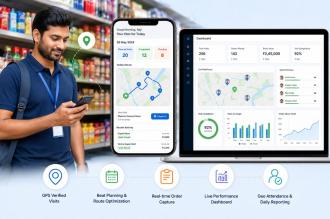
Field force software is built for teams that operate outside the office. These are employees whose workday is defined by movement, customer interactions, and physical presence at different locations.
This type of software helps managers:
Monitor daily visits and task completion
Track routes and travel patterns
Verify work without constant phone calls or manual updates
It is commonly used by:
Sales representatives
Service technicians
Field agents and inspectors
Delivery and installation teams
The core value lies in visibility. Managers can see what is happening in real time and teams know expectations are clear.
Remote staff software serves a very different purpose. It is designed for teams that work digitally, often from home or satellite offices, where output matters more than location.
These tools focus on:
Tracking work activity and attendance
Managing tasks, leads, or internal processes
Supporting collaboration without micromanagement
For remote teams, productivity is measured by results, not movement. The software helps managers stay informed while allowing employees to work independently and efficiently.
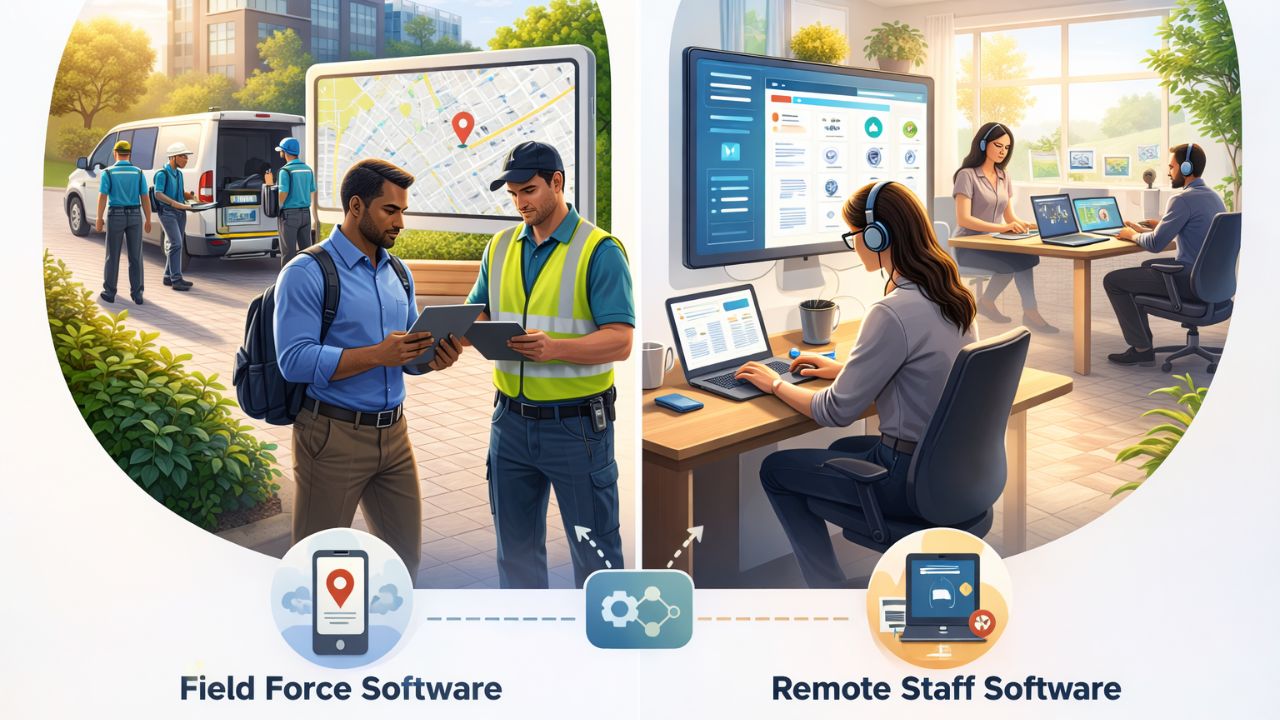
The real difference becomes clear when you look at how each system is used day to day. Field force tools prioritize where work happens, while remote staff tools prioritize how work progresses.
Field force software is built for on-site teams that operate on the move. It focuses on tracking physical work locations, visits, and real-world execution, giving managers visibility into field activity. This makes it best suited for mobile teams that rely on in-person tasks and location-based accountability.
Remote staff software supports teams working from home or remote offices. It emphasizes task progress, activity tracking, and digital performance rather than location. Managers monitor output and workflow efficiency, making it ideal for distributed desk-based teams.
This comparison highlights why choosing based on team behavior is more effective than choosing based on features alone.
Many organizations select software based on price, trends, or recommendations without fully mapping it to their workforce. Common missteps include using remote staff tools to manage field sales teams or deploying field force software for customer support teams working from home.
These decisions often lead to:
Incomplete data
Frustrated employees
Manual workarounds that waste time
The cost is not just financial. It shows up in missed opportunities, slower decisions, and declining trust between teams and management.
Teams that spend most of their day traveling, visiting customers, or handling on-location tasks benefit from systems built around mobility and verification.
Teams handling customer queries, internal operations, or data-driven tasks need tools that focus on output, coordination, and accountability without location tracking.
Some businesses operate with both field and remote staff. In these cases, the challenge is avoiding fragmented systems that create silos and reporting gaps.
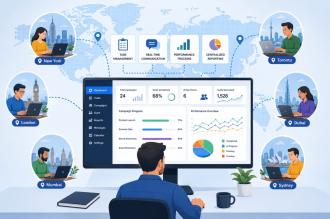
As businesses scale, managing multiple tools becomes inefficient. Reporting gets fragmented and leadership loses a unified view of operations. A modern workforce platform should adapt to different work styles while keeping data centralized.
This approach works best when:
Teams share common goals and reporting needs
Leadership needs a single source of truth
Growth plans include both on-ground and remote hiring
The key is flexibility without complexity.
Workforce software is not just an operational tool. It plays a role in compliance, audits, and long-term scalability. Accurate tracking, clear records, and consistent processes reduce risk and support better decision-making.
Choosing correctly early helps businesses:
Scale without losing control
Maintain reliable performance data
Build accountability across teams
For organizations managing diverse workforces, platforms like UpTeams are designed to bring field and remote teams under one structured system. By supporting different work patterns without forcing teams into rigid workflows, businesses gain clarity without adding complexity. You can explore how this approach works by visiting the UpTeams workforce management platform and seeing how unified visibility improves daily operations.
The decision between field-focused and remote-focused tools should always start with how your people work. Understanding the practical differences in Field Force vs Remote Staff Software allows businesses to avoid mismatched systems and build operations that scale smoothly. With the right choice, teams stay aligned, managers stay informed, and growth becomes easier to manage. UpTeams is built with this balance in mind, helping businesses support modern workforces without compromise.
Start your free trial today